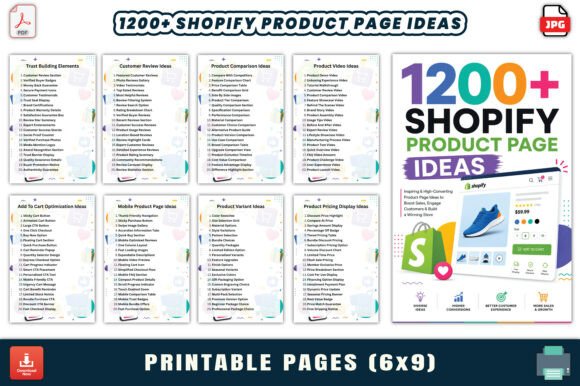
1200 Shopify Product Page Ideas – A Creative Workbook for Boosting Conversions
Every Shopify store owner eventually hits a wall. You have great products, decent traffic, but conversions stall. The product pages feel repetitive, the descriptions blend together, and customer engagement drops. That is exactly where 1200 Shopify Product Page Ideas steps in. This workbook offers 1,240 actionable ideas across 62 pages, covering everything from layout and image display to trust elements and pricing strategies. It is designed for entrepreneurs, marketers, designers, and anyone running an eCommerce store who wants to break out of creative ruts and improve results methodically.
But a workbook like this is only as valuable as how you use it. Many people download such resources, skim them once, and then forget they exist. Others try to apply every idea at once, leading to chaotic pages that confuse customers. The real power lies in understanding common mistakes and applying the ideas with intention. Let us walk through what this workbook offers and how to avoid the pitfalls that keep store owners from getting real results.
What the Workbook Actually Contains
Before diving into mistakes, it helps to know exactly what you are getting. The 1200 Shopify Product Page Ideas – Creative Workbook comes as a single PDF file, plus high-quality JPG and PNG versions of each page. The interior has 62 pages, each dedicated to a specific product page topic. Every page lists 20 concise, actionable ideas. Topics include product page layout, image display, description writing, feature showcases, trust building, video integration, comparison tables, customer reviews, pricing display, and many more.
The format is clean and print-ready. The page size is 6 by 9 inches, making it suitable for both digital reference and physical printing. The niche is Shopify eCommerce, but the ideas translate well to any online store platform. Whether you are a beginner just setting up your first product page or an experienced marketer refining a catalog of hundreds of items, the ideas range from foundational to advanced.
Common Mistakes People Make with Product Page Idea Workbooks
Having a resource with 1,240 ideas sounds like a shortcut to success. But a few recurring mistakes prevent people from actually benefiting. Here are the most important ones to watch for.
Mistake 1: Treating Ideas as a Checklist to Implement All at Once
The biggest error is trying to apply every idea on a page immediately. You end up with a product page that has too many sections, conflicting design elements, and a confusing customer journey. For example, adding product videos, comparison tables, countdown timers, social proof bars, and multiple call-to-action buttons all on one page can overwhelm shoppers. Instead of converting, they leave.
A better approach: Pick three to five ideas from one topic page that align with your current goals. If you struggle with low add-to-cart rates, focus on pricing display and urgency elements first. If your bounce rate is high, prioritize layout and image display ideas. Apply one change, measure the impact, and then add another. The workbook is a menu, not a recipe. Choose the dishes that fit your store’s current stage.
Mistake 2: Ignoring Your Specific Audience and Product Type
An idea that works for a fashion store may confuse customers at a tool store, and vice versa. The workbook covers general best practices, but each idea needs to be filtered through your audience’s expectations. For example, a product comparison table is excellent for electronics or software, but it may feel unnecessary for artisan food products. Similarly, customer review ideas that encourage detailed technical feedback work well for B2B items but may scare off casual buyers of low-cost goods.
How to avoid this: Before using any idea, ask yourself: Does this make the decision easier for my specific customer? Would this feel natural for this product category? Test with a small segment of your audience or run A/B tests. The workbook gives you raw material, but you are still the editor who curates what belongs on your page.
Mistake 3: Overlooking the Importance of Page Speed and Mobile Usability
Many ideas involve adding elements to your product page. Videos, image carousels, trust badges, and interactive comparison tables all increase page weight. If your site loads slowly, especially on mobile, none of these ideas will help. You will actually drive customers away. The workbook itself does not address technical performance, so it is your responsibility to ensure every addition does not harm load times.
Practical advice: Compress images before uploading, use lazy loading for videos, and limit the number of scripts on product pages. Test each new element on a mobile device with a slow connection. If it takes more than three seconds to load, reconsider that particular implementation. Sometimes a simpler version of an idea performs better because it loads faster.
Mistake 4: Copying Ideas Without Adapting the Tone or Brand Voice
Each page in the workbook gives you 20 short, actionable ideas. But if you copy them word-for-word into your store, your product pages will sound generic. Your customers can tell when a description feels templated. For example, an idea might suggest “Use bullet points to list key features.” That is solid advice, but if every product page has the same bullet structure with no personality, you lose differentiation.
Correction: Use the idea as a starting point. Rewrite it in your brand’s voice. If your brand is playful, make the bullet points conversational. If you are a premium brand, use more refined language and focus on benefits rather than just features. The workbook provides the skeleton; you add the flesh and personality.
Mistake 5: Not Organizing the Ideas for Easy Reference
With 62 pages and 1,240 ideas, you will forget most of them within a week unless you create a system. Many people download the PDF, save it in a folder, and never open it again when they actually need inspiration. The workbook is designed to be used repeatedly, but you have to build a habit around it.
Better habit: Set aside 15 minutes each week to review one topic page. Pick one idea from it to implement or test. Keep a simple spreadsheet or note where you track which ideas you have tried, what changed, and what the results were. Over time, you build a personalized playbook based on your own data. This turns a static workbook into a living tool.
What to Check Before You Start Using the Workbook
Before diving into the ideas, take a few minutes to assess your current product pages. This will help you prioritize which sections of the workbook to focus on first.
- Check your analytics: Which product pages have the highest drop-off rates? Those are the pages that need attention first. Look at bounce rate, time on page, and add-to-cart rate.
- Audit your mobile experience: Open your top five product pages on a phone. Is the text readable? Are buttons easy to tap? Do images scale properly? If not, prioritize the layout and image display ideas from the workbook.
- Review your current descriptions: Are they too short, too long, or missing key information? If customers frequently ask the same questions in your support inbox, your descriptions need work. The product description and feature showcase topics will be your best starting points.
- Assess trust elements: Do you display reviews, guarantees, or security badges prominently? If your conversion rate is low despite decent traffic, trust may be the issue. Jump to the trust building and customer review pages in the workbook.
How to Get the Most Value from 1,240 Ideas
Having a structured workbook means you no longer have to invent every idea from scratch. But the real value comes from consistent, thoughtful application.
Start with One Product Category
Do not try to improve your entire store at once. Pick your best-selling category or a category with high potential but low conversion. Apply two or three ideas from the workbook to each product page in that category. Measure the change in conversion rate over two weeks. Once you see what works, expand to other categories.
Combine Ideas from Different Pages
Some of the best results come from combining ideas across topics. For example, take an image display idea from one page, combine it with a product description approach from another page, and add a trust element from a third. The workbook is structured by topic, but real product pages blend multiple elements. Experiment with combinations and track which mixtures perform best.
Use the Workbook as a Team Tool
If you work with a team, use the workbook as a brainstorming resource during weekly meetings. Assign each team member a topic page to review before the meeting. Have everyone bring their top three ideas for your current store challenges. This turns a solo resource into a collaborative tool that generates buy-in from everyone involved.
Print the Pages That Matter Most
The workbook is print-ready for a reason. Print the topic pages that are most relevant to your current bottlenecks and keep them near your workspace. Physical copies act as constant visual reminders. When you are stuck writing a product description or arranging a layout, you can glance at the printed page for a quick idea. This simple habit makes the content far more usable than leaving it as a file in a folder.
When the Workbook Alone Is Not Enough
No workbook can fix deeper issues with your store. If your traffic sources are poor, your pricing is wrong, or your product itself does not solve a real need, product page optimization will only get you so far. The 1200 Shopify Product Page Ideas – Creative Workbook excels at improving presentation, engagement, and conversion for products that already have market fit. Use it as one part of a broader strategy that includes customer research, competitive analysis, and ongoing testing.
Also, be honest about whether you actually need 1,240 ideas. If you are just starting out, even 20 solid ideas could be enough to improve your first few product pages. The workbook gives you depth to grow into, but do not feel pressured to use everything immediately. Let your store’s performance dictate which ideas you pull from the workbook, not the other way around.
Final Thoughts on Using the Workbook the Right Way
The 1200 Shopify Product Page Ideas – Creative Workbook is a genuinely useful resource for anyone selling online. It saves you from staring at a blank page wondering what to try next. But like any tool, its value depends on how wisely you apply it. Avoid the common mistakes of overloading pages, ignoring your audience, sacrificing speed, copying without adaptation, and neglecting an organizational system. Instead, treat it as a curated library of possibilities that you test, measure, and refine over time.
Start small. Pick one topic page that addresses your biggest weakness. Implement one or two ideas. Measure the impact. Then move to the next page. Over weeks and months, you will build product pages that are not only visually appealing and informative but also strategically aligned with what your customers actually need. That is the difference between just having ideas and using them to grow a better store.